Operator report, every hour
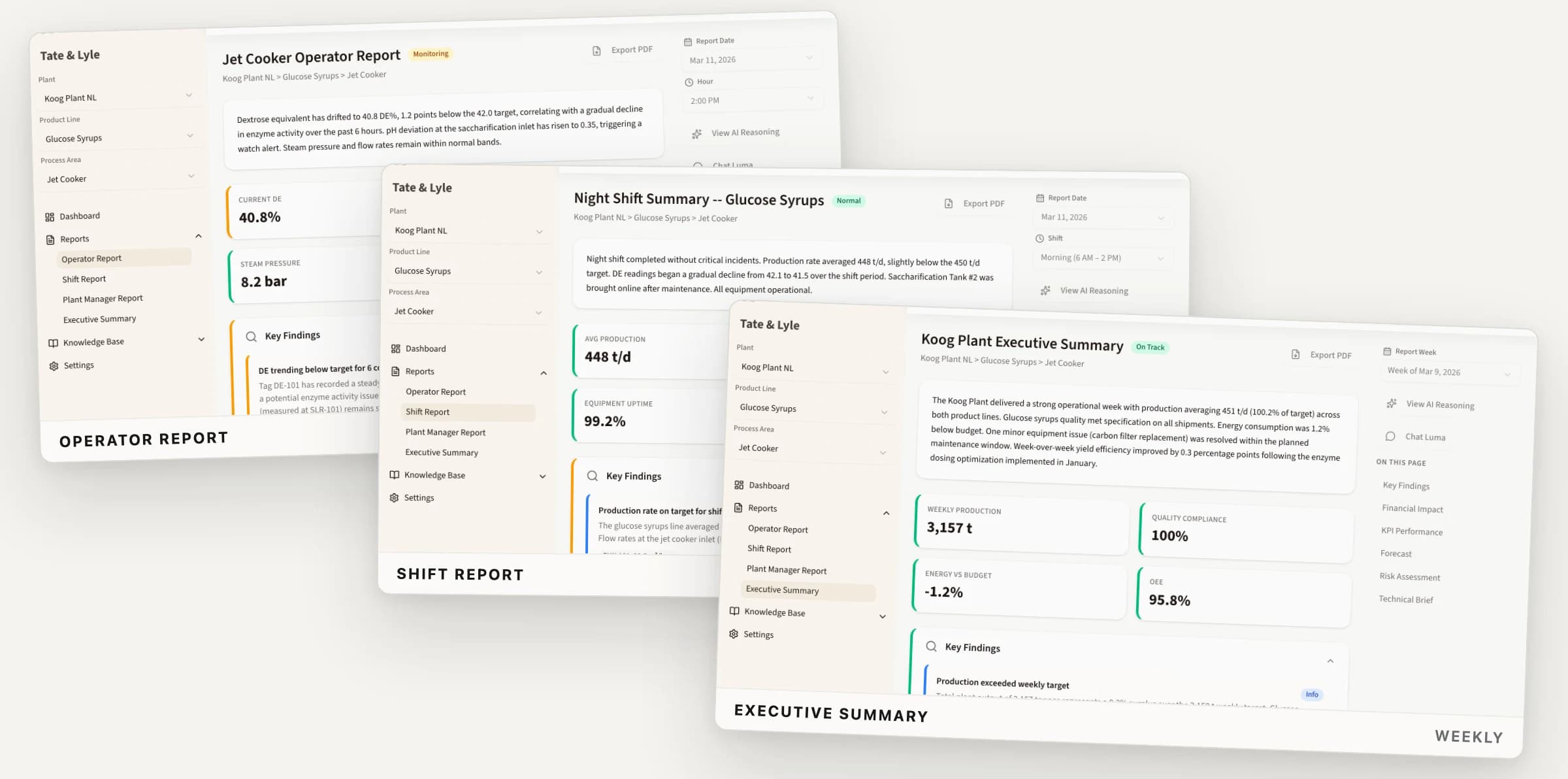
What moved in the last hour, which tags are off nominal and what to check first, written while the shift can still act on it.
HOURLY · DEVIATIONS · ACTIONSLuma reads your process data every hour and compares it against the plant's own process description, alarm limits, past incidents and lessons learnt. It writes the report each audience needs. Every conclusion opens into the readings behind it.
Production rate, quality, energy and yield against target, each with its trend over the period and the area status that follows from them. Behind every card sits the tag data and the report that reads it.
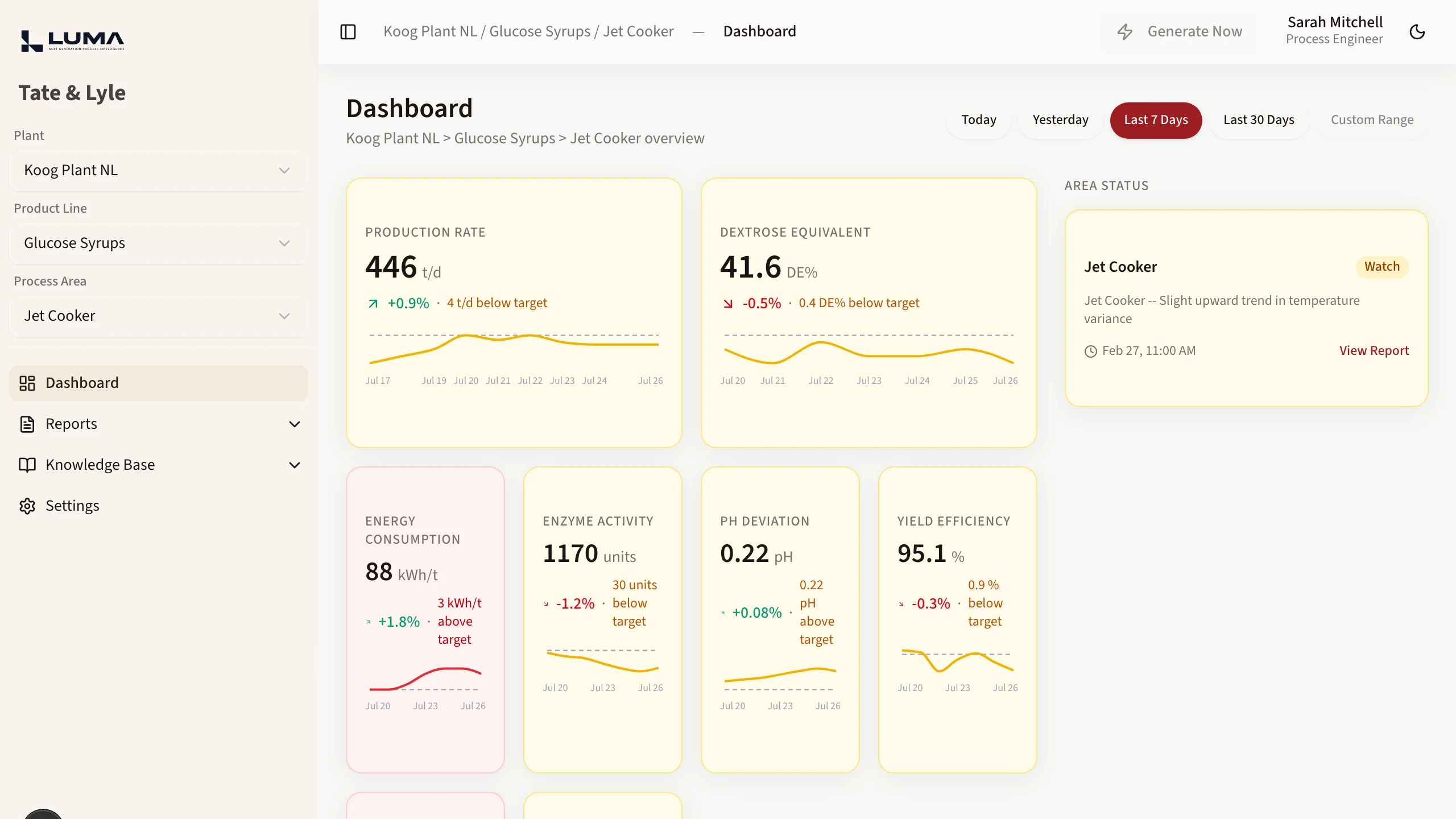
Demo data. The production interface evolves and may differ in detail.
What moved in the last hour, which tags are off nominal and what to check first, written while the shift can still act on it.
HOURLY · DEVIATIONS · ACTIONSThe state of the area at the end of a shift: what happened, what is still open and what the next crew inherits.
PER SHIFT · OPEN ITEMS · HANDOVERThe same hours rolled up daily and weekly against targets, with the equipment issues and quality results behind the numbers.
DAILY · WEEKLY · VERSUS TARGETA most likely cause with a stated confidence, the readings that support it and the alternatives Luma considered and ranked lower.
CAUSE · CONFIDENCE · ALTERNATIVESHow long a drifting parameter has before it reaches its alarm limit and what an hour of the current deviation costs in yield, energy and rework.
HOURS REMAINING · COST PER HOURYour process description, past incidents and lessons learnt sit under every report, so a finding can point back to the time this happened before.
PROCESS · INCIDENTS · LESSONSLuma runs the same six steps every hour: read the data, weigh it against what the plant knows, explain what changed and show the chain that produced the explanation.
Historian tags, lab results, alarm and event logs come in on the plant hierarchy your teams already use: plant, product line, process area.
Process description, alarm limits and nominal values, past incidents and lessons learnt. This is the knowledge a report has to be checked against.
Every tag in the area is compared against its nominal value, its target and its alarm limits over the period, with the trend and the size of the deviation recorded.
Luma proposes the most likely cause with the readings behind it, ranks the alternatives, projects hours to limit and puts a cost per hour on the deviation.
The same hour becomes an operator report, a shift handover, a daily plant report and a weekly executive summary. Each one says what that reader has to decide.
Every conclusion opens into the tag readings, the process description section and the past incident that produced it. Your engineers judge the chain.
A tag drifts for six hours before anyone reads the trend. The night crew hands over what they remember. The plant manager gets a spreadsheet the next morning and asks why. Luma writes that hour up while the shift is still running, in the form each reader needs.
Luma reads, compares, explains and recommends. Operating the plant stays with your shift team.
Luma consumes process data. It writes no setpoint, closes no alarm and sends nothing to the control system.
Every conclusion lists the tag readings, the process description section and the past incident behind it, each one a link you can follow.
Findings are weighed against your process description, alarm limits, incident history and lessons learnt. Your plant record is the reference.
Each client's plant data is isolated at the database layer with Row Level Security.
European data centers are the default for hosting and processing. We select third-party services for EU hosting and GDPR compliance.
Before a deployment processes plant information, we document which tools, models and infrastructure it uses, where data flows and what controls apply.
Honest constraints up front. Easier than discovering them three months in.
No. Luma reads process data and writes reports. It sends nothing to the control system, changes no setpoint and closes no alarm. Every action it recommends is carried out by a person.
No. Your historian stays the record of what the plant did. Luma reads from it and adds the hourly reading, the cause analysis and the report your team writes by hand today.
Historian tags with their nominal values and alarm limits, plus lab results and alarm and event logs where you have them. On the knowledge side: a process description of the area, past incidents and lessons learnt.
A finding that has no reading behind it is not written. Where a sensor is dead or a value is out of physical range, the report says the parameter could not be judged instead of filling the gap.
Open the reasoning behind it. Each conclusion lists the tag readings it used, the section of the process description it relied on and any past incident or lesson it matched, each one a link you can follow.
No. Luma reports what changed, what it most likely means and what it would check first. The operating decision stays with the shift team and the process engineers who own the area.
Yes. When a crew resolves an event, what they found goes into lessons learnt for the area. Later reports are written against that record.
No. Luma does not train models on your plant data. The data-processing terms of the providers enabled for a deployment are documented before plant information is processed.
Plant data is private and isolated per client. Database access is enforced with membership checks and Row Level Security.
Luma is built by two process engineers, close to 30 years of plant and project work between us. We have written the shift report at the end of a long night and read the trend that had been drifting since morning. We build the software we wanted on those shifts.
Luma starts as a bounded pilot on one of your process areas, read by your own operators. Four steps from first call to a rollout decision.
A short call on your plant and which reporting your team writes by hand today. We agree the pilot scope: one process area, one set of tags, the reports that matter.
We load that area into an isolated workspace with your process description and history. Luma then writes the reports for a live period.
Your operators and process engineers read the output against what happened. They open the reasoning behind each finding and judge whether it holds.
You decide whether to extend to more areas or stop there. The pilot findings are yours either way.
It starts with a short call.